


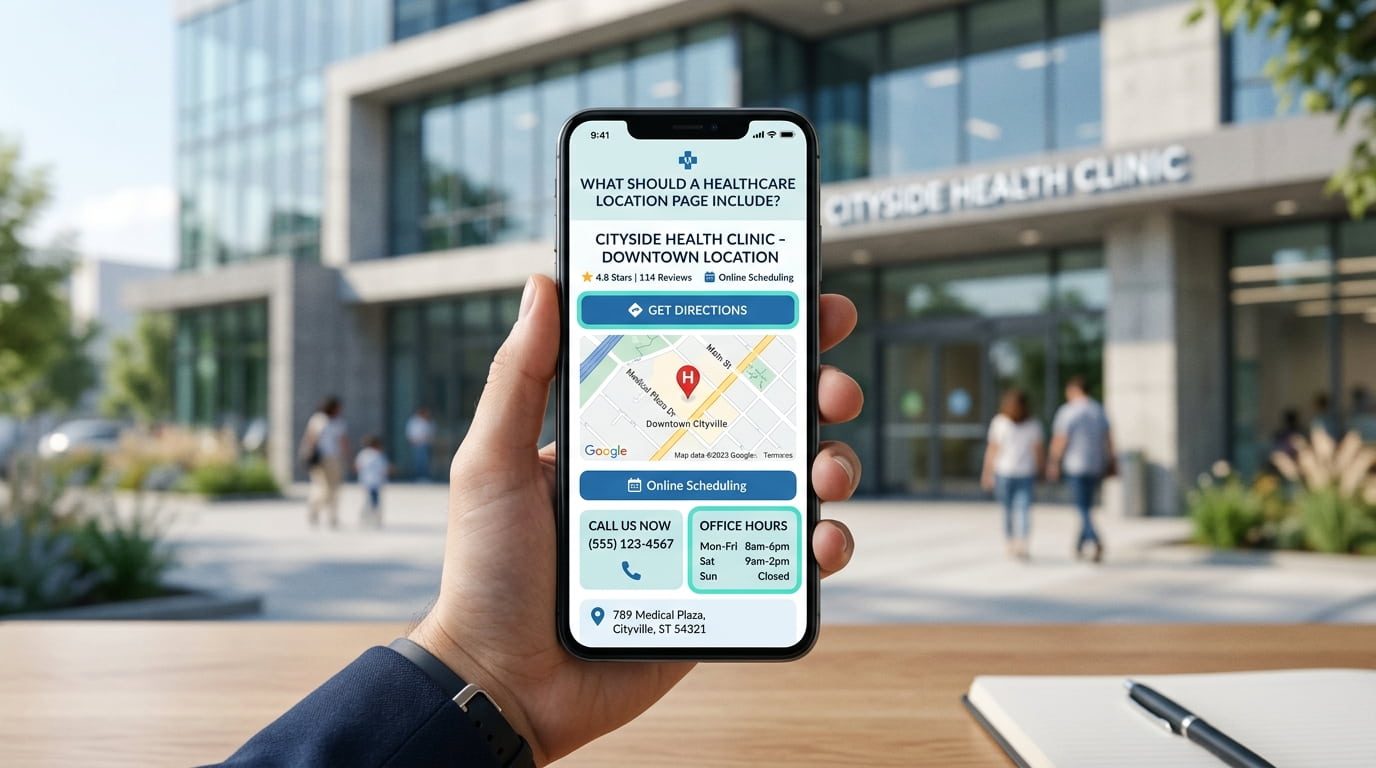
A healthcare location page should help patients identify the correct premises, understand what is available there and work out how to arrange an appointment.
Start with the complete address, contact details, services and booking instructions. Then add practical information about the entrance, transport, parking and accessibility.
This healthcare location page checklist helps you review whether each branch page answers the questions patients need resolved before visiting.
Identify the Location Clearly
Use a heading that identifies the clinic or branch accurately.
For example, “[Clinic Name] in [Town]” may be suitable where it reflects the organisation’s genuine name and location.
Under the heading, briefly explain what the location provides. Include relevant appointment arrangements, such as whether consultations are available by appointment only.
Avoid opening with a long introduction about the town. Patients visiting a location page usually need practical information about the clinic.
Display the Complete Address
Publish the address as readable text, even if the page also includes a map.
Include:
- Building name or number.
- Street name.
- Suite, unit or floor where relevant.
- Town or city.
- Postcode.
Check that the address matches the premises patients should attend. A registered office or correspondence address should not be presented as a treatment location.
If the clinic is inside a hospital, shared medical centre or larger commercial building, identify the part of the building patients need.
Explain How to Find the Patient Entrance
The postal address may not explain where patients should enter.
Add clear instructions where the entrance is difficult to identify. For example:
The clinic entrance is on [Street], beside [confirmed landmark]. Please use the lift to reach reception on the second floor.
Only publish directions that have been checked.
A current photograph of the entrance can help patients recognise the building. Use descriptive alternative text that explains what the image shows.
If a map is included, check that its pin points to the appropriate premises and that directions do not lead to a rear entrance or restricted access road.
Provide Useful Parking and Transport Information
Explain the practical options for reaching the clinic.
| Information | What to include where confirmed |
|---|---|
| On-site parking | Where it is and whether restrictions apply |
| Nearby parking | Relevant car parks and walking directions |
| Parking charges | Current charges or a link to the operator |
| Public transport | Nearby stops or stations |
| Drop-off access | Where patients can be dropped off safely |
| Arrival time | Any genuine instructions for arriving before an appointment |
Avoid promising free parking or guaranteed spaces unless the clinic can support that statement.
Where arrangements change frequently, link to the relevant transport or parking operator rather than maintaining an extensive timetable on the page.
Describe Accessibility With Specific Details
A general statement such as “fully accessible” may leave important questions unanswered.
Describe the facilities and any limitations you can confirm.
Useful information may include:
- Step-free access to the entrance.
- Steps or thresholds patients will encounter.
- Lift access to consultation rooms.
- Accessible toilet facilities.
- Designated parking.
- Seating arrangements.
- Available communication support.
- A contact route for discussing access requirements.
If some rooms are accessible and others are not, explain that distinction clearly.
Give patients a way to check whether the location can meet their needs before travelling.
List Services Available at That Branch
A location page should reflect what patients can actually receive there.
Do not copy the organisation’s complete service list onto every branch page unless every service is genuinely available at each location.
Use brief descriptions and link to the relevant detailed service pages.
For example:
| Service | Useful branch information |
|---|---|
| General consultations | Appointment availability and booking route |
| Specialist consultations | Relevant specialty and clinician |
| Diagnostic services | Whether available on-site or arranged elsewhere |
| Follow-up appointments | Any location-specific arrangements |
Keep the location page focused on availability. Detailed explanations of a consultation or treatment usually belong on its service page.
Our guide to organising healthcare service pages explains how these pages can connect without repeating the same information throughout the website.
Identify the Clinicians Who Practise There
Where appropriate, list the clinicians who currently provide appointments at the location.
Link their names to accurate profile pages containing relevant professional information.
Check:
- Their role.
- The services they provide at that branch.
- Whether appointments are available there.
- Any published attendance arrangements.
Avoid implying that every clinician works at every branch.
If schedules vary, explain how patients can check current availability rather than publishing a timetable that quickly becomes outdated.
Make Contact Details Easy to Find
Show the telephone number patients should use for that location.
If the organisation uses a central reception team, explain that callers should specify the branch they need.
Include an email address or enquiry form where appropriate, with clear wording about its purpose.
A general enquiry form should not invite patients to submit detailed medical histories. Explain the suitable route for clinical questions and avoid implying that messages are monitored continuously unless that is true.
On mobile, check that the telephone link opens the correct number.
Explain Opening Hours and Appointment Arrangements
Opening hours can mean different things in a healthcare setting.
Distinguish between reception availability, building access and consultation hours where necessary.
For example:
Reception is available Monday to Friday, 9 am to 5 pm. Consultations are by appointment. Please contact reception to check availability.
Use this wording only if it accurately describes the branch.
Update temporary closures and holiday arrangements promptly. Patients should not encounter conflicting information between the location page and other published business details.
Link to the Correct Booking Route
The booking link should take patients to the relevant location or make branch selection clear.
Check whether patients can:
- Select the appropriate service.
- Choose the correct branch.
- Identify the clinician where applicable.
- Understand any referral requirements.
- See whether they are booking or requesting an appointment.
If submitting a form only starts an enquiry, say so.
A confirmation message should explain what happens next and give a realistic response timeframe where the team can maintain one.
Use Genuine Photographs of the Location
Photographs can help patients understand the setting and recognise the premises.
Useful images may show:
- The exterior and signage.
- The patient entrance.
- Reception.
- Waiting areas.
- Relevant access routes.
- Consultation facilities where appropriate.
Use photographs of the actual branch. Stock images should not create the impression that they show your premises.
Before publishing, check for visible patient information, computer screens, appointment lists and identifiable people. Obtain appropriate permission where required.
Give Each Branch Its Own Useful Information
For organisations with several locations, each branch page should explain the differences that matter to patients.
A shared design is fine. The address, directions, services, clinicians, access details and booking route should reflect the individual branch.
If you serve neighbouring towns from one clinic, explain that coverage where useful. A town you serve should not be presented as a separate clinic location.
A single-location practice may only need one detailed contact or location page.
Healthcare Location Page Checklist
| Item | What to verify |
|---|---|
| Location heading | Identifies the genuine clinic or branch |
| Introduction | Explains what the location provides |
| Address | Includes the complete patient-facing address |
| Entrance | Helps patients find the correct access point |
| Map | Shows the appropriate premises |
| Parking | Explains confirmed options and restrictions |
| Transport | Provides useful arrival information |
| Accessibility | Describes facilities and limitations accurately |
| Services | Lists what is available at that branch |
| Clinicians | Identifies relevant practitioners |
| Telephone | Reaches the appropriate team |
| Enquiry route | Explains what patients can use it for |
| Hours | Distinguishes reception and appointment arrangements |
| Booking | Leads to the correct branch or selection process |
| Photographs | Shows current, genuine premises |
| Maintenance | Has an assigned person responsible for updates |
Check the Page on a Mobile Phone
Before publishing, test the page as someone preparing for an appointment.
Can you quickly find the address, open directions, identify the entrance and telephone reception?
Then check whether you can confirm that the required service is available and reach the correct booking route.
Ask someone unfamiliar with the clinic to complete the same tasks. Their questions can reveal missing details that staff take for granted.
If your branch information is incomplete or difficult to navigate, our support for healthcare websites can help you identify the pages and connections that need attention.
Frequently Asked Questions
Does each clinic branch need a separate location page?
A separate page is useful when each branch has its own address, services, clinicians or appointment arrangements. It gives patients one place to find the information relevant to their visit.
Should a location page repeat the full service descriptions?
Usually, a brief explanation and a link to the detailed service page are sufficient. Include branch-specific differences directly on the location page.
Is an embedded map enough?
No. Include the address as text and explain any entrance or access details the map does not make clear.
What if accessibility arrangements are limited?
Describe the available facilities and limitations accurately. Provide a contact route so patients can discuss their requirements before attending.
How often should the page be reviewed?
Review it whenever services, clinicians, opening hours, contact details or access arrangements change. Periodic checks can also help identify broken links and outdated directions.
What Should You Check First?
Start with the information that determines whether patients reach the correct clinic: the address, entrance, telephone number and booking link.
Then review services, clinicians and accessibility details. At Big Ben SEO, we help businesses organise website information so visitors can find the details they need and take a clear next step.
You may also find useful: How Should Healthcare Websites Organise Their Service Pages? and What Makes a Healthcare Website Easier to Trust?.